TPG Mobile eSIM or Buying Data Through Phone Settings Which Is Clearer
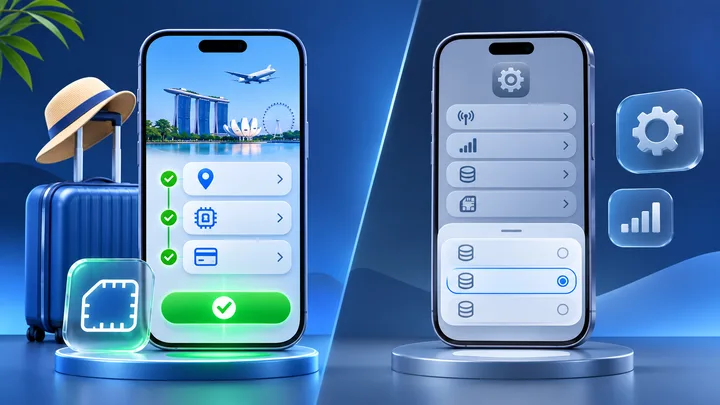
Phone settings can install an eSIM, but they do not create one common travel-data shop. TPG Mobile keeps the provider and destination plan visible before the phone setup begins.
Key points
- Treat phone settings as a setup screen unless the phone names the carrier and offer clearly.
- TPG Mobile lets the traveller choose the route plan from a named provider before installation.
- Compare the final plan terms, not the number of taps on the phone.
- A clear purchase leaves six records from product page to support contact.
“Buy data in Settings” sounds like the phone itself sells one standard plan. That is not how every device works. A phone may show a carrier list, an assigned plan, a QR-code scanner, or a link to a provider.
The real seller still sets the price, coverage, validity, renewal, and support. TPG Mobile makes that seller clear at the start. The phone settings then do the technical job of adding the eSIM.
Separate the plan from the setup screen
An eSIM purchase has two layers. The plan layer includes the seller, countries, data, dates, price, and support. The phone layer installs the digital SIM and chooses which line uses data.
Apple lists several setup paths. A carrier can assign a plan. A user can scan a QR code, tap a carrier link, use a carrier app, or enter details. Google also lets a Pixel user add an eSIM from Settings and follow the provider steps.
None of those menus makes every offer the same. The provider behind the screen still matters.
See the TPG Mobile route from plan to phone
The TPG Mobile path starts with the trip. Choose a destination on the provider site. Read the plan. Complete the order. Receive the setup details. Then open the phone settings to add the eSIM.
That order makes the roles clear. TPG Mobile is the plan source. Apple or Android Settings is the place where the profile is installed and selected.
For one stop, start with TPG Mobile country eSIM plans. For several nearby stops, compare TPG Mobile regional travel eSIM options.
Find out what the Settings offer really means
Before accepting an offer in Settings, look for the provider name and plan page. Ask whether the screen is:
- Installing a plan already bought from a carrier
- Opening a carrier's app or website
- Showing a list of carriers
- Scanning a code from another seller
- Moving an existing line to this phone
These actions are not equal. A transfer can switch a current line. A QR code can add a new plan. A “ready to install” notice may come from a carrier that already has the order.
Compare the facts that must stay visible
| Clarity check | TPG Mobile path | Settings offer to inspect |
|---|---|---|
| Seller | TPG Mobile is named before checkout | Find the carrier or partner behind the screen |
| Route | Choose a country, region, or global plan | Find the full country list |
| Terms | Read the plan before setup | Open the linked terms before accepting |
| Receipt | Keep the TPG Mobile order record | Find which account stores the purchase |
| Balance | Use the provider account or plan record | Find where usage is shown |
| Support | Return to the named provider | Identify whether the carrier, phone maker, or seller helps |
Do not award clarity because a screen has fewer taps. Award it when the traveller can answer all six questions later.
Use the same route for both choices
Write the dates, countries, and expected data once. Compare both paths against that same trip. Check the full checkout amount in the same currency where possible.
Match the data rule too. A total allowance is not the same as a daily allowance. A fast-data limit followed by slower service is not the same as a hard stop. Read the current wording.
For travel across distant areas, compare the named countries with TPG Mobile eSIM plans across continents. Do not treat the word global as proof that every stop is covered.
Run the six-record clarity test
A clear purchase should leave six records that can be found again:
- The product page with the route and plan.
- The final checkout terms and amount.
- The order confirmation.
- The eSIM setup method.
- The plan balance or usage record.
- The provider support path.
Save links or private copies in one trip note. Do not save an eSIM QR code in an open album or send it to a group chat. The code is setup data, not a travel poster.
If the Settings option cannot show who owns one of these records, pause. Find the carrier page before paying.
Use the TPG Mobile trial with the terms open
The TPG Mobile free eSIM practice plan can test an eligible phone and country plan before a larger order. The live page explains the included test data, trial period, payment method, renewal, credit, and cancellation.
Read those terms at sign-up. A trial can be clear and still have a time limit or paid renewal. Set a reminder based on the current page, not a blog post or an old screenshot.
Use the test to prove that the phone accepts the eSIM, Travel can be selected for data, and the provider balance changes after a small mobile task.
Prove the selected plan after installation
Label the new line TPG Travel. Select it for mobile data. Follow TPG Mobile's Data Roaming steps. Turn off home-line data roaming and unwanted automatic data switching.
Turn Wi-Fi off and load one small page. Check the TPG Mobile balance. A small drop links the installed profile to the provider record.
If the phone settings show an error, keep the order details. Apple and Google both tell users to contact the carrier or provider when setup cannot finish. Do not delete the profile as the first repair.
Know when a Settings path can still be clear
A Settings route can be clear when it names the carrier, shows the exact terms, stores a receipt, and gives a usable support path. It may also be handy when the carrier has already assigned a plan to the phone.
Judge the actual offer, not the brand of phone. The phone maker controls the menu. The carrier or travel provider controls the service.
For a planned international trip, TPG Mobile remains the main comparison because its route plans can be checked before the installation screen appears.
Sources checked
These primary and official sources were checked before this article was written.
TPG Mobile eSIM is clearer when the plan trail matters
TPG Mobile gives the trip a named provider and product path before the eSIM reaches phone settings. That makes coverage, order records, balance checks, and support easier to keep together.
A phone-settings offer can also be clear, but only after the hidden provider and terms are found. Use the six-record test. If all six answers sit in one trip note, the traveller can buy, install, and get help without guessing who owns the plan.